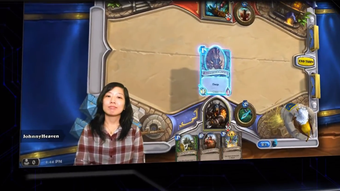



Download XSplit Gamecaster – Free Live Streaming Software for Gamers
Overview
XSplit Gamecaster has become one of the most popular tools for gamers who want to share their gameplay with the world. Built around the concept of “one‑click streaming,” the application removes the technical barriers that traditionally stopped hobbyists from going live. Whether you are a beginner who just wants to broadcast a few matches on Twitch or a seasoned e‑sports enthusiast looking for a reliable, low‑latency solution, Gamecaster provides a clean interface, automatic detection of popular streaming platforms, and a suite of built‑in audio‑visual tools that keep your production looking professional without the need for expensive hardware.
The software is distributed as a free download with optional premium features unlocked through a monthly subscription. This model lets new streamers experiment without any financial commitment, then scale up as their audience grows. The free tier already includes support for Twitch, YouTube Live, and Hitbox, a built‑in overlay that shows chat, followers, and recent donations, as well as basic webcam and microphone integration. For creators who want extra polish, the paid plan adds advanced scene switching, custom transitions, green‑screen support, and priority access to the XSplit support team.
Beyond just broadcasting, Gamecaster also offers local recording, allowing you to capture high‑quality footage for later editing and upload. The application’s lightweight design ensures that it runs smoothly alongside demanding games, and the built‑in noise‑cancelling filters keep your voice clear even in noisy environments. In short, XSplit Gamecaster delivers a complete streaming toolbox that balances ease of use with enough depth to satisfy power users.
Key Features of XSplit Gamecaster
- One‑Click Streaming: Detects your favorite platform (Twitch, YouTube, Hitbox) and starts broadcasting instantly.
- In‑Game Overlay: Real‑time display of chat, follower alerts, donation notifications, and performance stats.
- Webcam & Microphone Integration: Supports picture‑in‑picture view, webcam filters, and automatic audio level balancing.
- Noise‑Cancelling & Audio Filters: Built‑in DSP that reduces background noise and equalizes voice clarity.
- Green‑Screen & Background Removal: Premium users can replace their background without a physical green screen.
- Custom Branding: Upload logos, watermarks, and custom transition graphics to reinforce your channel identity.
- Local Recording: Capture gameplay locally in MP4 or FLV for post‑production editing.
- Scene Switching & Hotkeys: Advanced users can create multiple scenes and switch between them with keyboard shortcuts.
- Cloud‑Based Updates: Automatic software updates ensure you always have the latest performance improvements and security patches.
- Support & Community: Access to a dedicated forum, video tutorials, and responsive customer support for both free and premium members.
Each of these features is designed to reduce the time you spend configuring your stream and increase the time you spend engaging with viewers. The free version already covers the essentials, while the premium subscription unlocks tools that can transform a simple broadcast into a polished production. Because XSplit Gamecaster is continuously updated, new features—such as additional platform integrations or AI‑driven audio enhancement—are rolled out without requiring a manual reinstall.
From a technical standpoint, the application runs on a modular architecture. This means that when you enable a feature like green‑screen, only the necessary processing modules load, keeping CPU and GPU usage low. For gamers who already push their hardware to the limit, this efficiency translates into smoother gameplay and a more stable stream.
Installation, Usage Guide & Compatibility
Step‑by‑Step Installation
Getting XSplit Gamecaster up and running takes just a few minutes. First, visit the official XSplit website or the Steam store page and click the “Download Free” button. The installer is a small .exe file (approximately 45 MB) that works on any modern Windows system. Run the file, accept the license agreement, and choose the default installation path (C:\Program Files\XSplit\Gamecaster). The wizard will also prompt you to install the optional “XSplit Broadcaster” components—these are only necessary if you plan to use advanced scene switching, so you can safely skip them for a lightweight setup.
After installation, launch Gamecaster from the Start menu. The first‑time startup wizard asks you to log in with an XSplit account (free to create) and then automatically detects any installed streaming platforms. You’ll be asked to authorize XSplit to broadcast on Twitch, YouTube, or Hitbox; this is a one‑time OAuth process that securely stores an access token on your machine.
Basic Streaming Workflow
Once logged in, the main dashboard displays three tabs: Stream, Record, and Settings. Click the Stream tab, select your preferred platform from the drop‑down, and hit the large “Go Live” button. Gamecaster will automatically capture your primary monitor, apply the default overlay, and start broadcasting within seconds. You can toggle your webcam on/off, adjust microphone volume, and enable the noise‑cancelling filter directly from the overlay without pausing the stream.
For users who want to fine‑tune their broadcast, the Settings panel provides options for bitrate, resolution, and encoder (hardware‑accelerated NVENC or software‑based x264). The recommended settings for a 1080p/60 fps stream on a 5 Mbps connection are 4500 kbps video bitrate and 128 kbps audio bitrate. Advanced users can also enable the “Low‑Latency Mode” to reduce delay between gameplay and viewer display—a crucial feature for competitive streaming.
System Requirements & Operating System Support
XSplit Gamecaster is officially supported on Windows 10 (64‑bit) and later. It also runs on Windows 8.1 with minor performance differences. The application requires at least a dual‑core CPU, 4 GB of RAM, and a DirectX 11‑compatible graphics card. For optimal performance, a modern quad‑core processor (Intel i5‑6600K or AMD Ryzen 5 2600) and 8 GB of RAM are recommended, especially when streaming at 1080p with a webcam overlay.
While there is no native macOS or Linux client, XSplit offers a cloud‑based streaming solution that can be accessed via a web browser on those platforms. However, this cloud option does not support all the local recording features available in the Windows client.
Overall, the installation process is straightforward, and the intuitive UI lets you start streaming almost instantly. The low system footprint ensures that even mid‑range gaming rigs can broadcast high‑quality video without sacrificing frame rates.
Conclusion, Pros & Cons, FAQ & Call‑to‑Action
Pros
- Free tier includes all major platforms and essential broadcasting tools.
- One‑click streaming eliminates complex configuration.
- Lightweight architecture minimizes impact on game performance.
- Built‑in noise‑cancelling and webcam filters improve production value.
- Local recording for later editing and content repurposing.
- Scalable subscription model lets you grow features with your audience.
Cons
- Premium features (green‑screen, advanced scene switching) require a subscription.
- No native macOS or Linux client; Windows‑only for full functionality.
- Interface can feel cluttered for absolute beginners until they customize the layout.
- Occasional update bugs reported on older graphics drivers.
Frequently Asked Questions
Is XSplit Gamecaster really free?
Yes. The core application can be downloaded and used without any cost. You only need to pay if you want advanced features such as green‑screen support, premium overlays, or priority customer service.Which streaming platforms are supported?
Gamecaster supports Twitch, YouTube Live, Hitbox, and Facebook Gaming out of the box. Additional platforms can be added via custom RTMP settings.Can I record my gameplay locally while streaming?
Absolutely. The “Record” tab lets you capture the same feed you are broadcasting, saving it as MP4 or FLV for later editing.What are the system requirements for optimal performance?
A 64‑bit Windows 10 PC with at least a dual‑core CPU, 4 GB RAM, and a DirectX 11 graphics card. For 1080p/60 fps streaming, a quad‑core i5 or Ryzen 5 and 8 GB RAM are recommended.How does the subscription pricing work?
The premium plan costs $9.99 per month (or $79.99 annually) and unlocks all advanced features, including custom transitions, green‑screen, and priority support. There is also a 30‑day free trial for the premium tier.Final Verdict & Call‑to‑Action
Overall, XSplit Gamecaster delivers a balanced blend of simplicity and power that makes it an excellent choice for anyone looking to enter the world of live game streaming. Its free tier is generous enough to get you live within minutes, while the optional subscription ensures you can grow your channel without outgrowing the software. If you’re ready to showcase your gameplay, build a community, and perhaps monetize your hobby, there’s no better time to start than now.
Download XSplit Gamecaster today from the official website or via Steam, set up your first broadcast, and join the millions of creators already streaming on Twitch, YouTube, and Hitbox. Your audience is waiting—press “Go Live” and let the world see your skills in action!







